
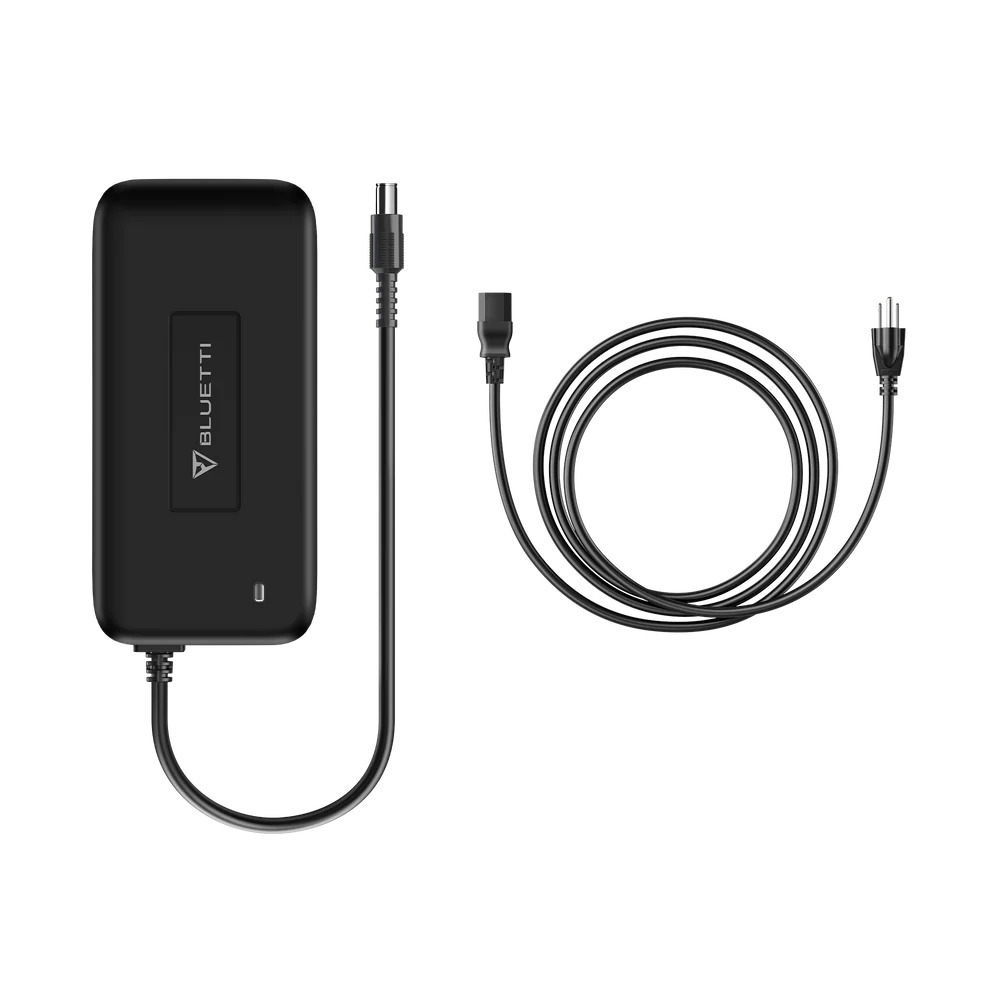
BLUETTI T200S AC Adapter (200W) For B80 / EB55 / EB70 / EB70S
The T200S is BLUETTI’s factory-original 200 W AC charging adapter for the B80 / EB55 / EB70 series. The specific 25.2 V / 8 A output and DC7909 barrel connector are matched to these power stations’ input requirements different from BLUETTI’s higher-wattage adapters (used for AC300, AC500, and later units) and different again from the DC-DC enhancers (like the D050S) that serve the older AC200 line.
If you’ve lost the original adapter, damaged the cable, or need a spare for a second charging location (home + van, home + workshop, home + office), the T200S is the correct replacement. Third-party universal adapters can work but risk voiding your warranty and providing wrong-voltage output enough to shorten battery life on a $600+ power station. Not worth it.
Compatible power stations
Confirmed compatible:
- ✅ BLUETTI B80 (768 Wh expansion battery)
- ✅ BLUETTI EB55 (537 Wh portable power station)
- ✅ BLUETTI EB70 (716 Wh portable power station)
- ✅ BLUETTI EB70S (716 Wh portable power station, silent variant)
Also compatible (broader spec):
- ✅ BLUETTI EB120 (1,200 Wh, older model)
- ✅ BLUETTI EB150 (1,500 Wh, older model)
- ✅ BLUETTI EB180 (1,800 Wh, older model)
- ✅ BLUETTI EB240 (2,400 Wh, older model)
Not compatible:
- ❌ BLUETTI AC300, AC500, EP500 Pro, Apex 300, EP800/EP900 these use different input standards
- ❌ BLUETTI AC200/AC200P/AC200Max — use the D050S DC enhancer instead
- ❌ BLUETTI AC180, AC60, AC70 — different input rating
If you’re not sure which BLUETTI unit you own, check the power station’s model label before ordering.
The EB55 dual-charging feature 400 W input, half the time
One of the T200S’s genuinely useful features: the EB55 supports two T200S adapters connected simultaneously via a DC7909-to-XT60 splitter cable. Both feed the EB55’s input port at the same time, delivering 400 W combined input power halving the charge time from empty to full.
- Single T200S: EB55 charges 0–100% in roughly 3.5–4.5 hours
- Two T200S + splitter cable: EB55 charges 0–100% in roughly 1.5–2 hours
The dual-charging feature works only with the EB55 the EB70 and EB70S have a single input port that can’t accept parallel adapters. The splitter cable is sold separately this listing is for one T200S adapter alone.
Full specifications
Attribute
Detail
| Product | BLUETTI T200S AC Adapter |
| Input | 100–240 V AC, 50/60 Hz, 2.5 A max |
| Output | 25.2 V DC, 8 A max |
| Rated power | 200 W |
| DC connector | DC7909 barrel |
| Cable length | Approximately 120 cm (47″) |
| Model code | T200S-252A800-00 |
| Type | Genuine BLUETTI accessory |
What’s in the box
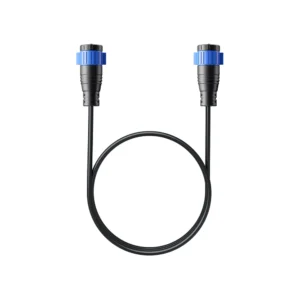
- 1 × BLUETTI T200S AC Adapter (with attached DC output cable)
- Product care documentation
Not included (sold separately if you need dual charging):
- DC7909-to-XT60 splitter cable — required to run two T200S in parallel on an EB55
- Additional T200S adapter — if you’re building a dual-charging setup, buy two of this SKU
When you’d want a second T200S
- Fast-charging your EB55 — dual charging cuts 3.5+ hours down to under 2
- Multiple charging locations — one at home, one in the van, one at the office; no swapping cables between locations
- Backup for failure — this adapter runs continuously during charging; having a spare on hand prevents downtime if one fails
- Sharing between household units — running two BLUETTI units in the family requires two adapters unless you’re happy hot-swapping
Where the T200S sits in BLUETTI’s adapter ecosystem
BLUETTI ships several AC charging adapters across its product line. Each is specific to its platform’s voltage and connector:
Adapter
Compatible units
Output
| T200S (this SKU) | B80, EB55, EB70(S), older EB series | 25.2 V / 200 W |
| T500 | Newer AC series (AC50S, AC70) | Different voltage / connector |
| Larger AC300/AC500 adapters | AC300 + B300, AC500 + B300S | Higher wattage / different connector |
| D050S DC Enhancer | AC200/AC200P/AC200Max | Not a straight AC adapter — a DC-DC enhancer |
Match the adapter to your specific power station. Cross-platform swaps aren’t supported and can damage your unit.
Care and maintenance
- Keep the adapter on a flat, ventilated surface during charging — it produces some heat during operation
- Don’t cover the adapter with a cushion or fabric during use — heat buildup can trigger the safety cutoff
- Unplug from the wall when not in use — no benefit to leaving it plugged in idle
- Keep away from water and heavy dust — the adapter is not rated for outdoor or damp environments
- Clean with a soft dry cloth only — no liquid cleaners

 No products in the cart.
Reviews
There are no reviews yet.